DocuKoda Web Platform
Overview
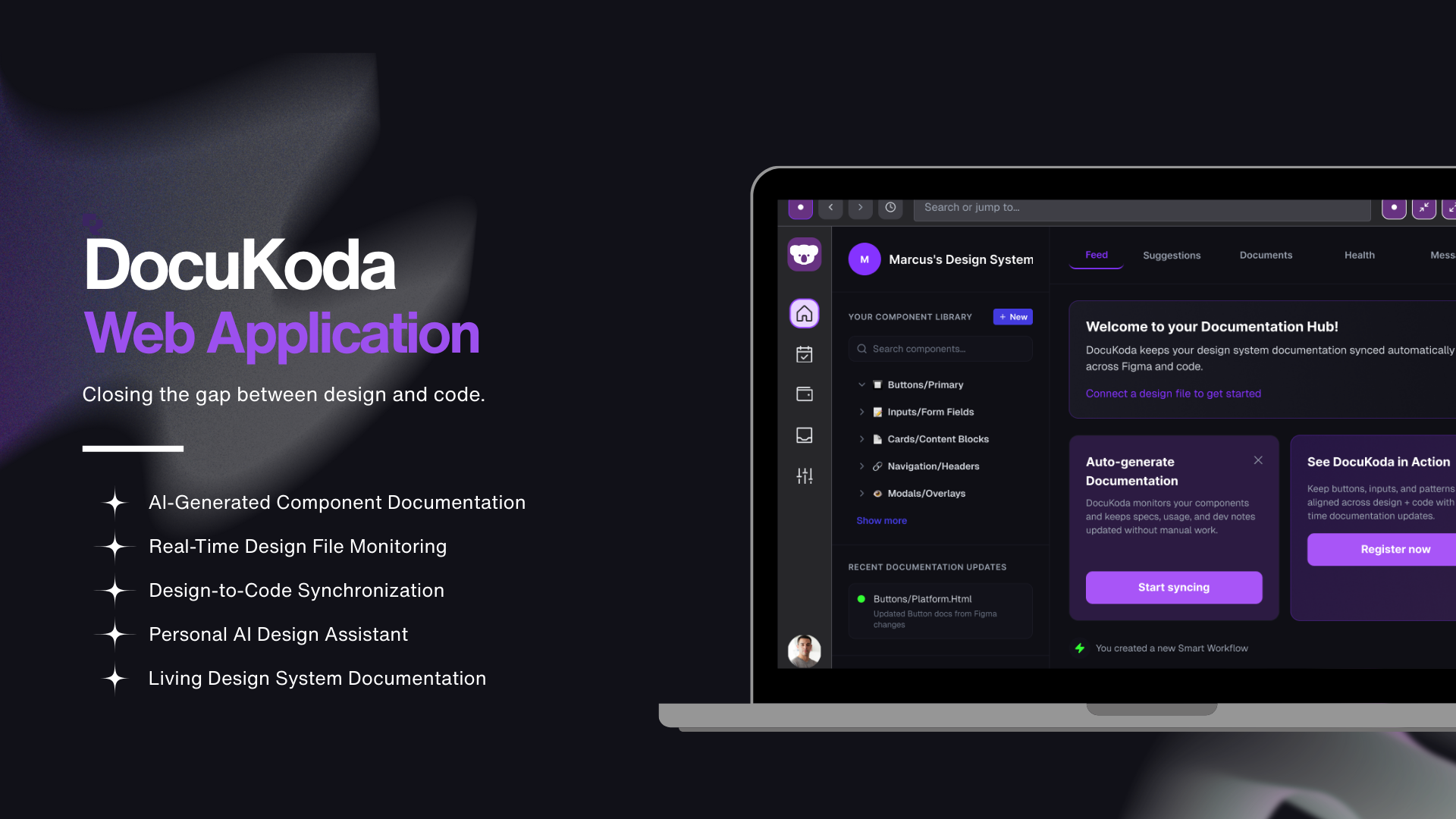
DocuKoda is a concept for an AI-powered documentation assistant that automatically generates and maintains design system documentation by analyzing design files and connected codebases.
The project explores how automation and AI can reduce the manual work required to maintain design system documentation while improving collaboration between designers and developers.
Type: Product Concept / UX Design Exploration
Timeline: 10 weeks
Role: Product Designer
Problem Statement
Design systems are essential for building scalable digital products, but maintaining their documentation is often slow, manual, and inconsistent.
Most teams rely on a fragmented set of tools:
Figma for design components
Notion for documentation
Storybook for developer component libraries
Slack for team discussions
These tools do not automatically synchronize design components with documentation.
As a result:
Documentation quickly becomes outdated
Designers must manually write component specs
Developers rely on incomplete documentation
Knowledge becomes scattered across multiple tools
Design Question
How might we automate design system documentation so designers can focus on design rather than on maintaining documentation?
Goals
The goal of DocuKoda was to design a system that:
Automatically generates documentation from design components
Connects design files with code repositories
Keeps documentation continuously updated
Reduces manual documentation work
Improves collaboration between designers and developers
Target Audience
DocuKoda is designed for:
Product Designers
Designers responsible for creating and maintaining UI components and design systems.
Design System Teams
Teams that are responsible for managing shared design libraries across multiple products.
Frontend Developers
Developers who rely on accurate documentation when implementing UI components.
Process
Research
To better understand how design teams currently manage documentation, I conducted a competitive analysis of tools commonly used across design and development workflows.
These tools included:
Figma
Notion
Storybook
Linear
Slack
Although these tools support collaboration and documentation in different ways, none of them automatically generates documentation from design systems.
Problem Exploration
The research revealed several consistent patterns.
Documentation Is Always Manual
Every tool requires users to write documentation manually.
For example:
Figma provides basic component description fields
Notion allows teams to write documentation pages
Storybook generates developer prop tables but requires manual setup
No tool automatically generates documentation directly from design artifacts.
Design and Code Are Disconnected
Design systems exist across multiple tools:
design files
documentation platforms
code repositories
messaging platforms
Because these systems are disconnected, documentation frequently becomes outdated or inconsistent.
Tools Serve Different Roles
Each tool is optimized for a specific audience:
Figma for Designers
Storybook for Developers
Notion for Teams
Slack for Communication
No platform effectively supports both designers and developers when documenting design systems.
Key Insight
Design systems already contain the information needed for documentation, but no tool automatically converts that information into structured documentation.
This insight led to the core concept behind DocuKoda.
Design Iterations
The design of DocuKoda focused on reducing friction in documentation workflows and helping teams automate repetitive tasks.
Iteration 1 — Clarifying the Starting Point
When users first enter the system, they need a clear understanding of what to do next.
The initial interface lacked guidance for new users.
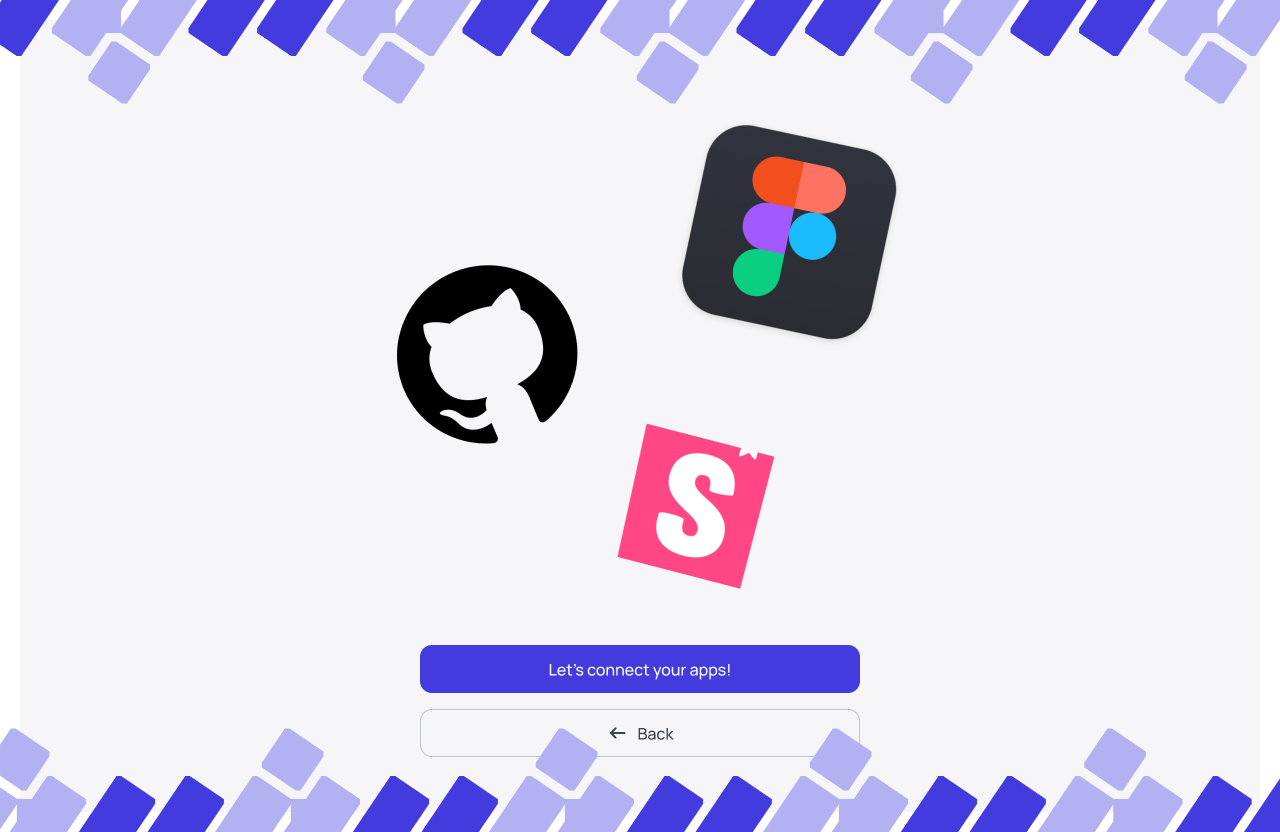
First draft of DocuKoda’s starting point for users.
Solution
Introduce a clear empty state that explains the value of workflows and encourages users to create their first automation.
Features added:
Strong call-to-action
Simple explanation of automation benefits
Visual cues showing workflow outcomes
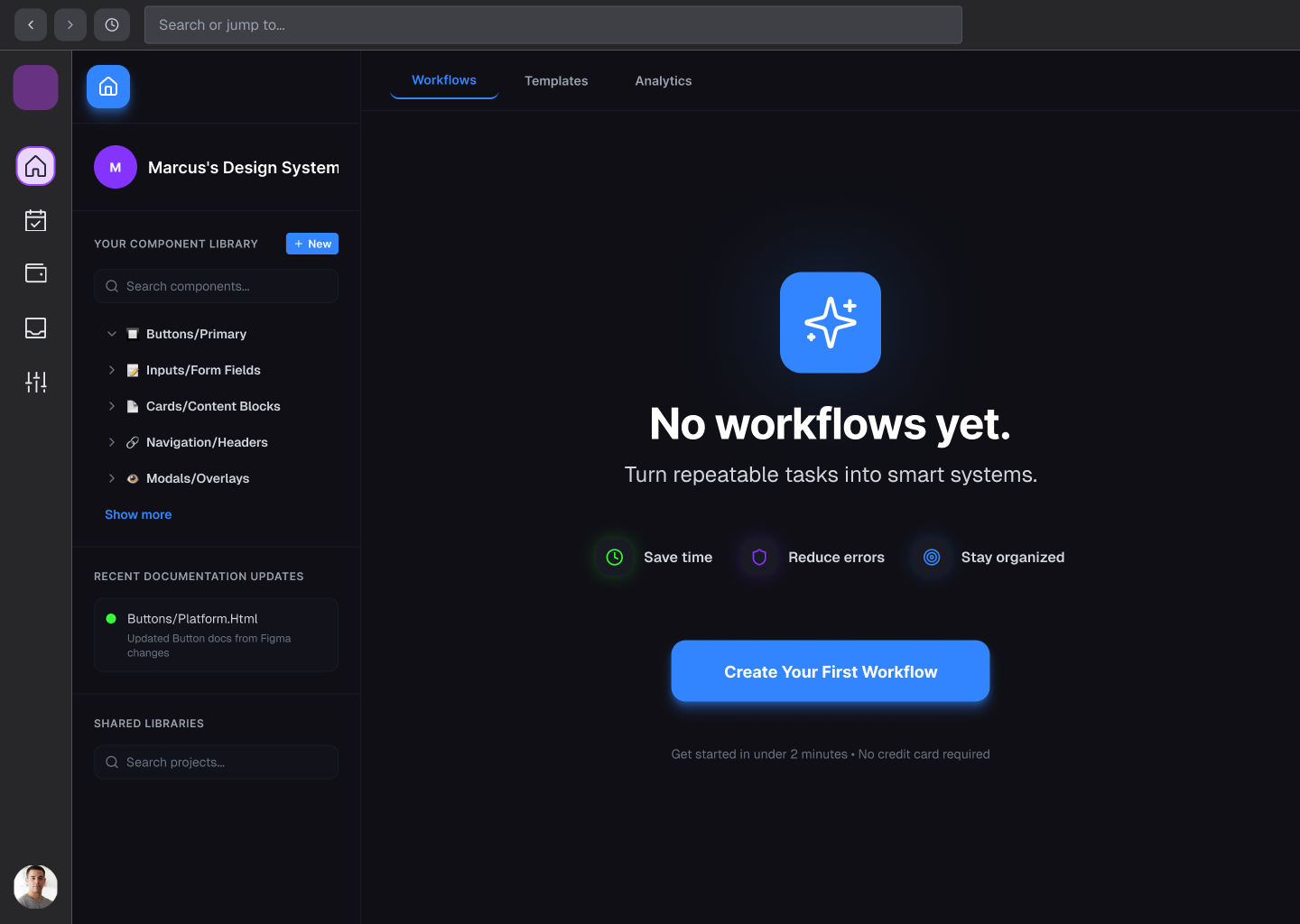
First draft of DocuKoda’s dashboard for new users.
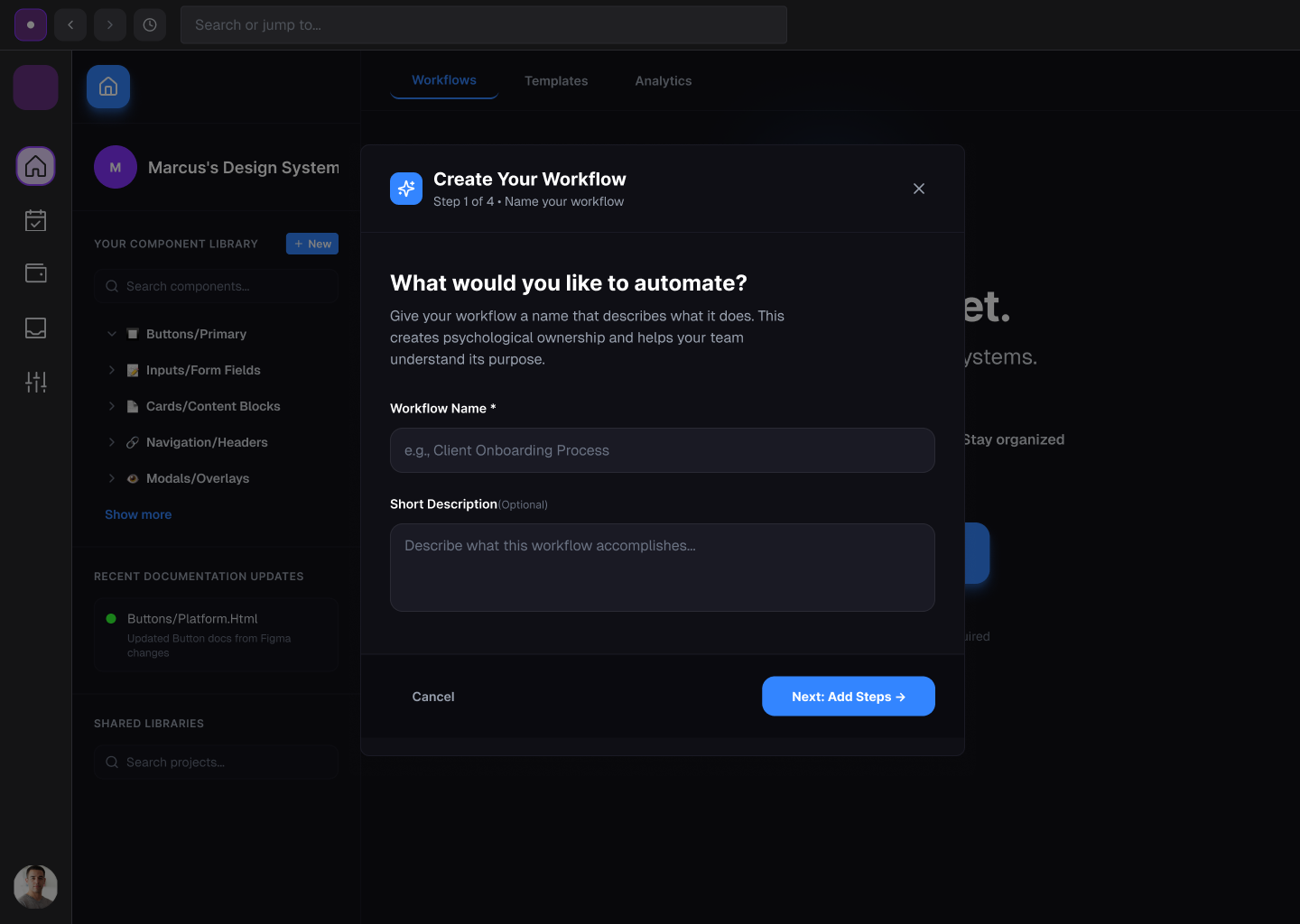
Iteration 2 — Simplifying Workflow Creation
Early concepts placed all workflow configuration on a single screen, creating cognitive overload.
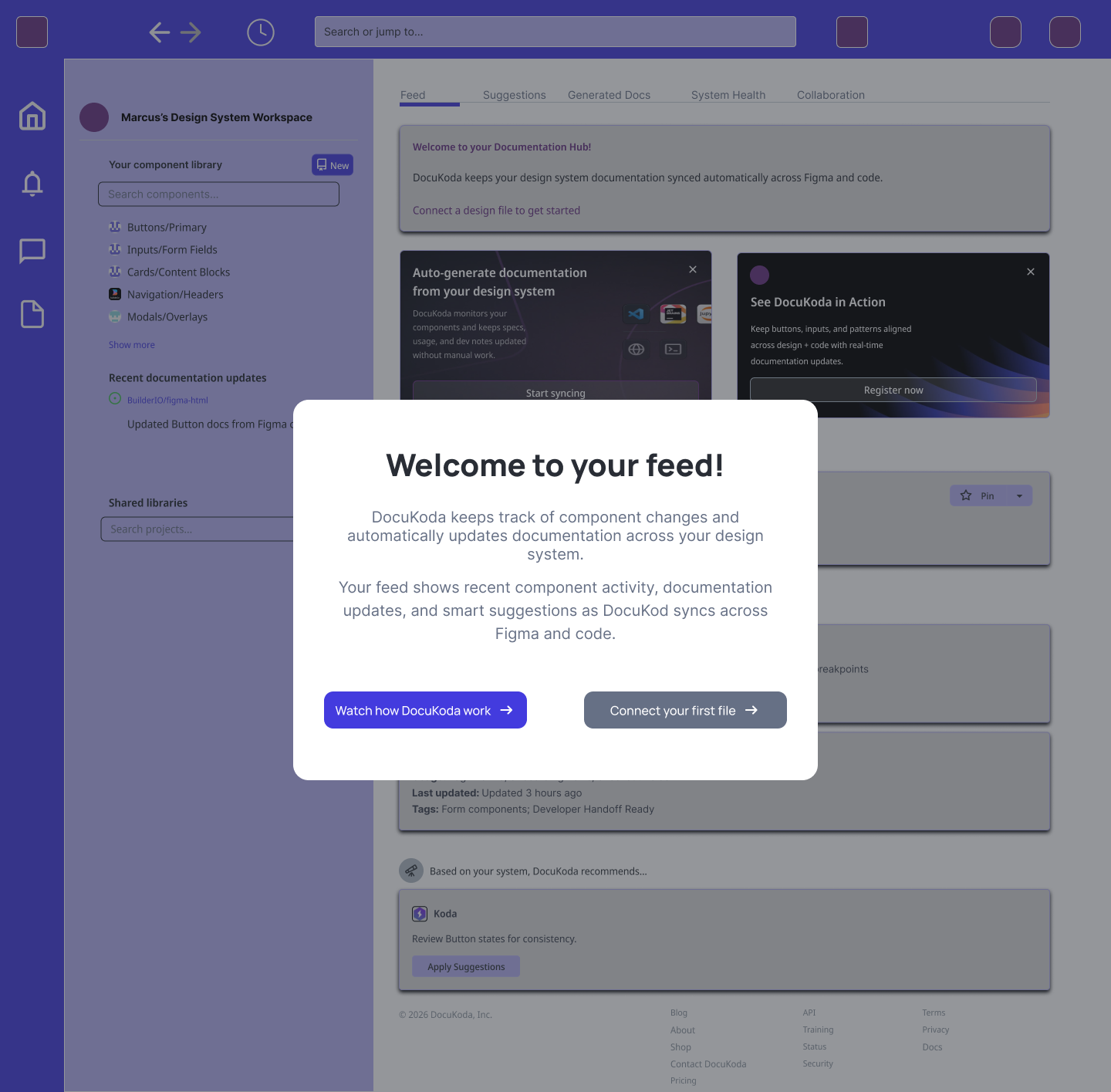
Solution
Introduce a step-by-step workflow builder that breaks the process into manageable stages.
The workflow creation flow now includes:
Name your workflow
Define workflow steps
Configure automation triggers
Review and launch
Iteration 3 — Structured Step Builder
Users needed a flexible way to define workflow steps.
Solution
A drag-and-reorder interface allows users to:
Add steps
Reorder steps
Assign roles
Set deadlines
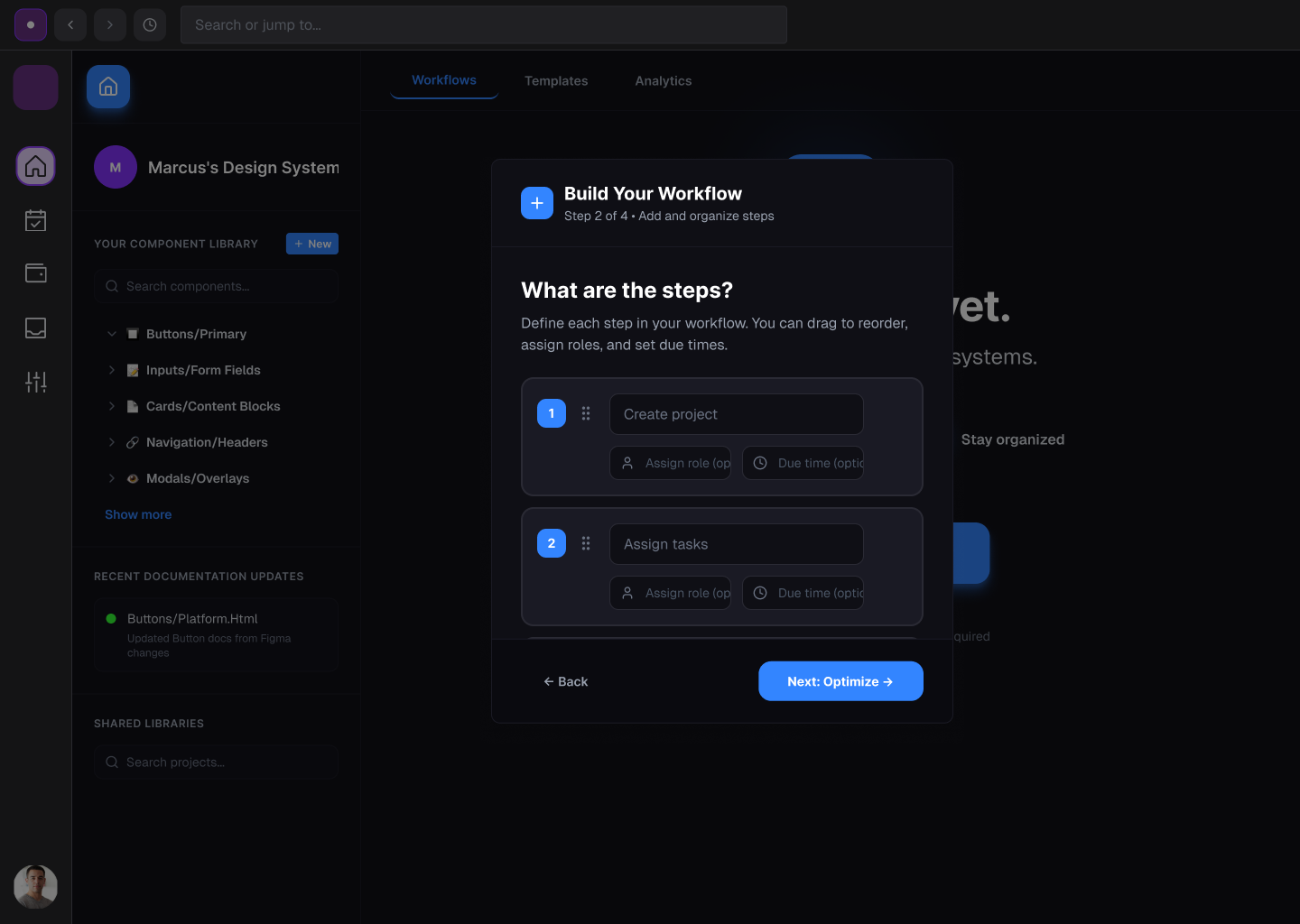
This interaction model mirrors familiar task management systems.
Iteration 4 — Automation Configuration
Because DocuKoda focuses on automation, users need to define how workflows begin.
Solution
Users can select triggers such as:
Manual start
scheduled execution
Email triggers
Webhooks
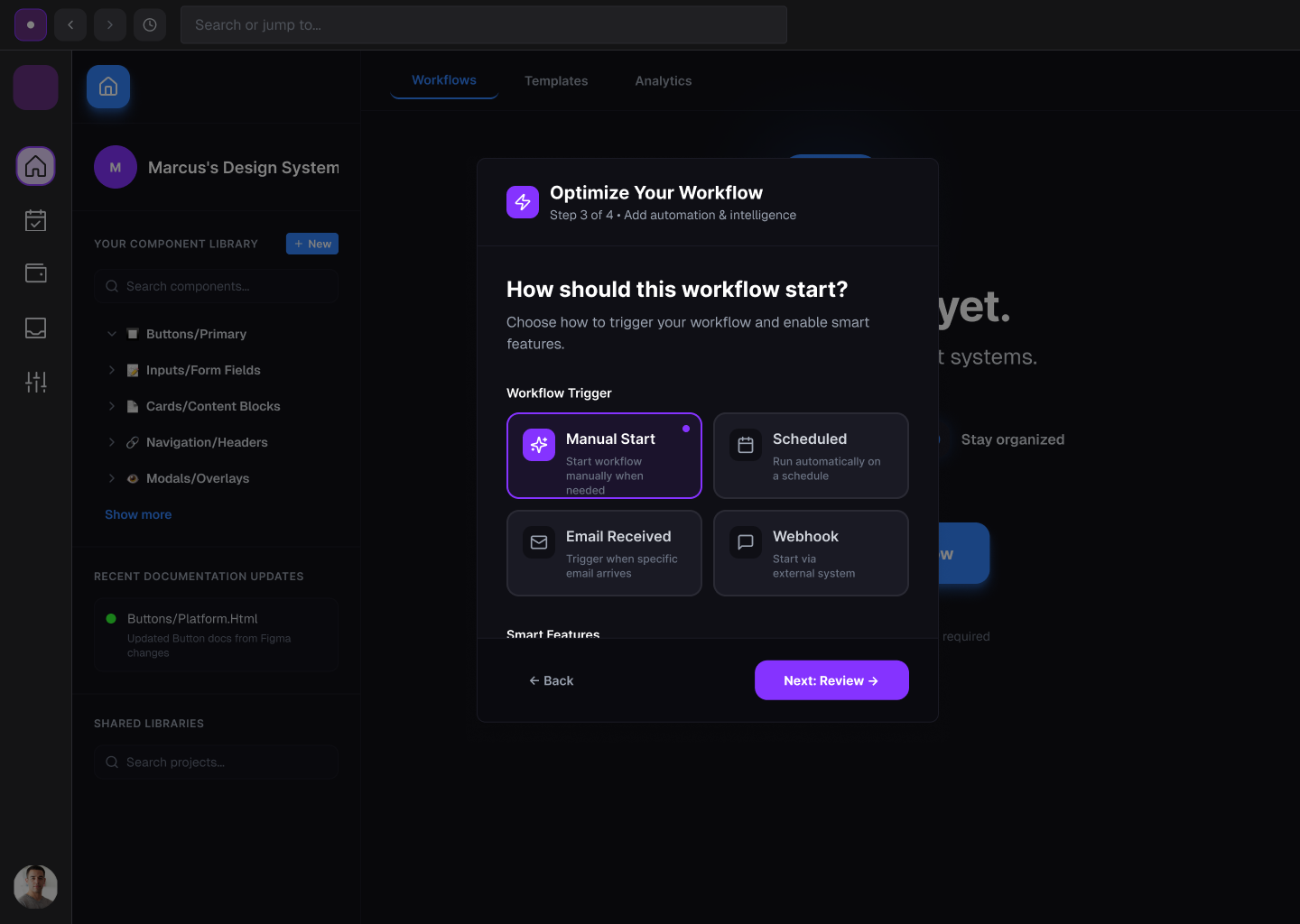
This flexibility supports different team workflows.
Iteration 5 — Workflow Confirmation
Before launching a workflow, users should confirm the configuration.
Solution
A review step summarizes:
Workflow name
Workflow steps
Trigger settings
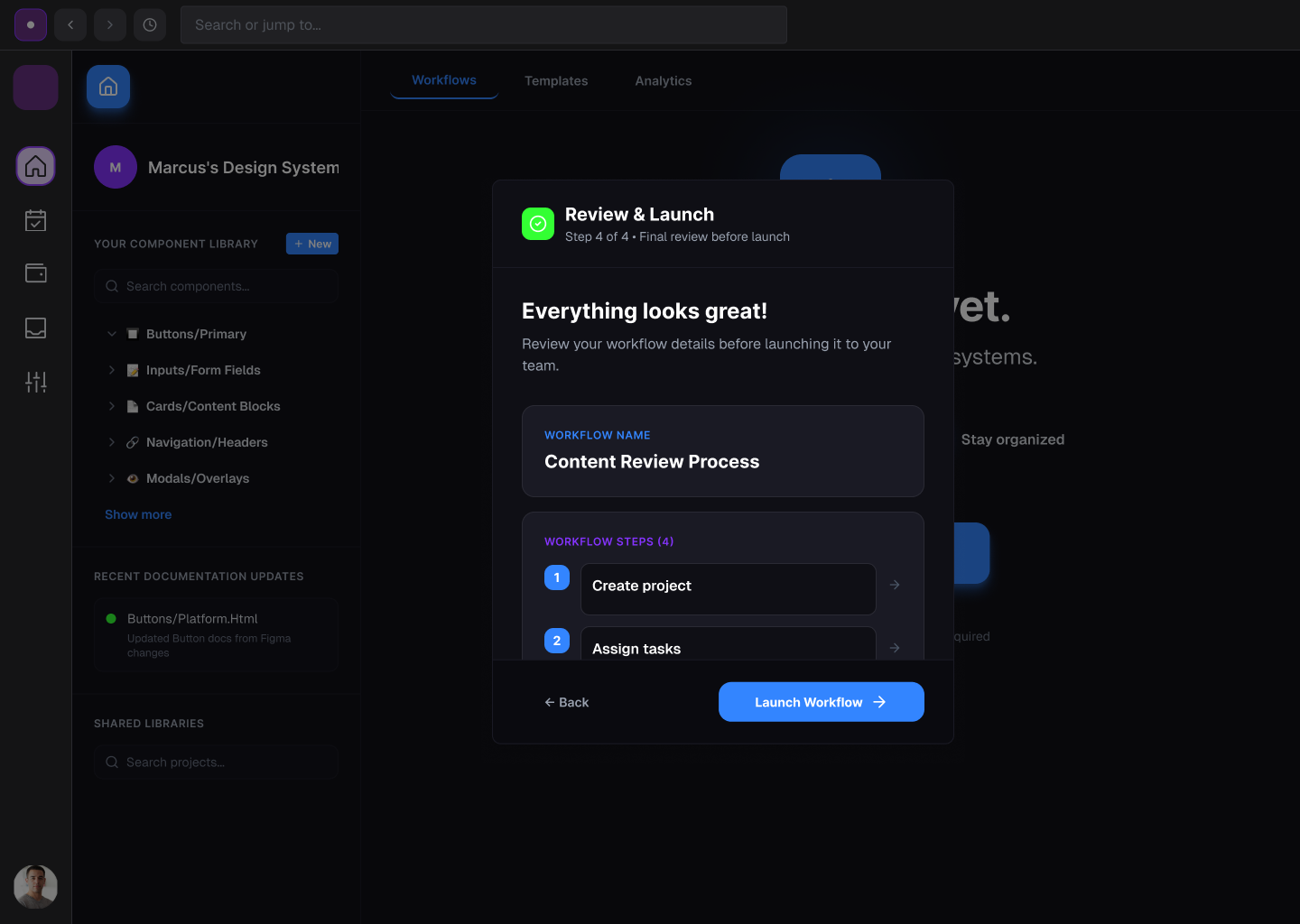
This prevents mistakes before automation begins.
Final Design
DocuKoda is an AI-powered design documentation platform that automatically generates and maintains design system documentation.
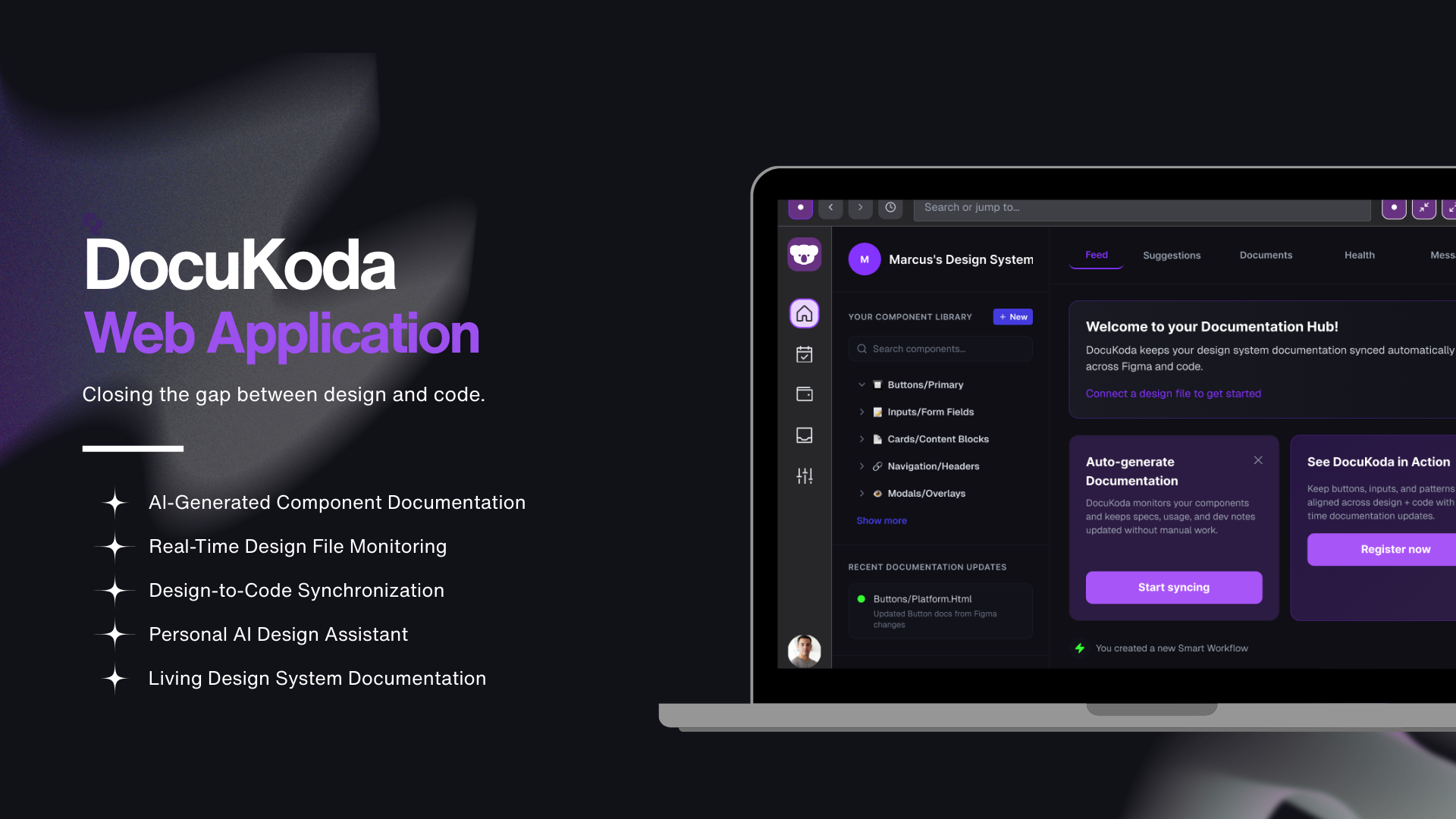
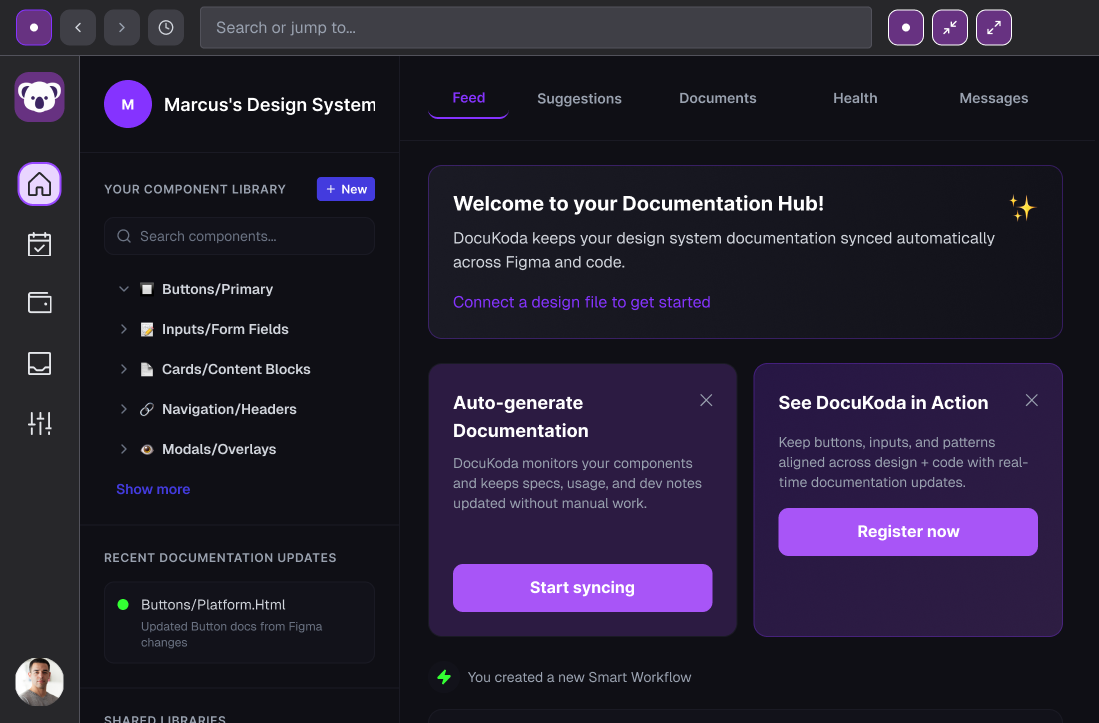
Documentation Hub
The main dashboard provides a centralized view of documentation activity.
Users can view:
Documentation updates
Component changes
System insights
Collaboration activity
Component Library Integration
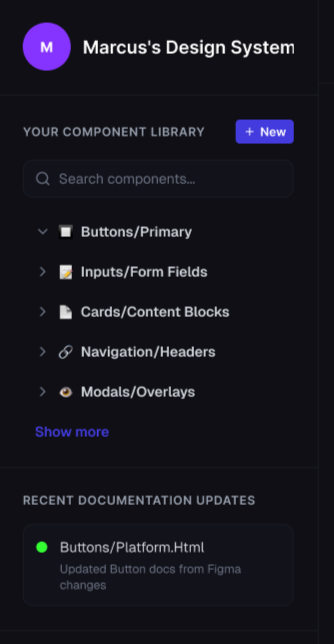
DocuKoda connects directly to a design system’s component library.
The system tracks components such as:
Buttons
Form inputs
Cards
Navigation
Modals
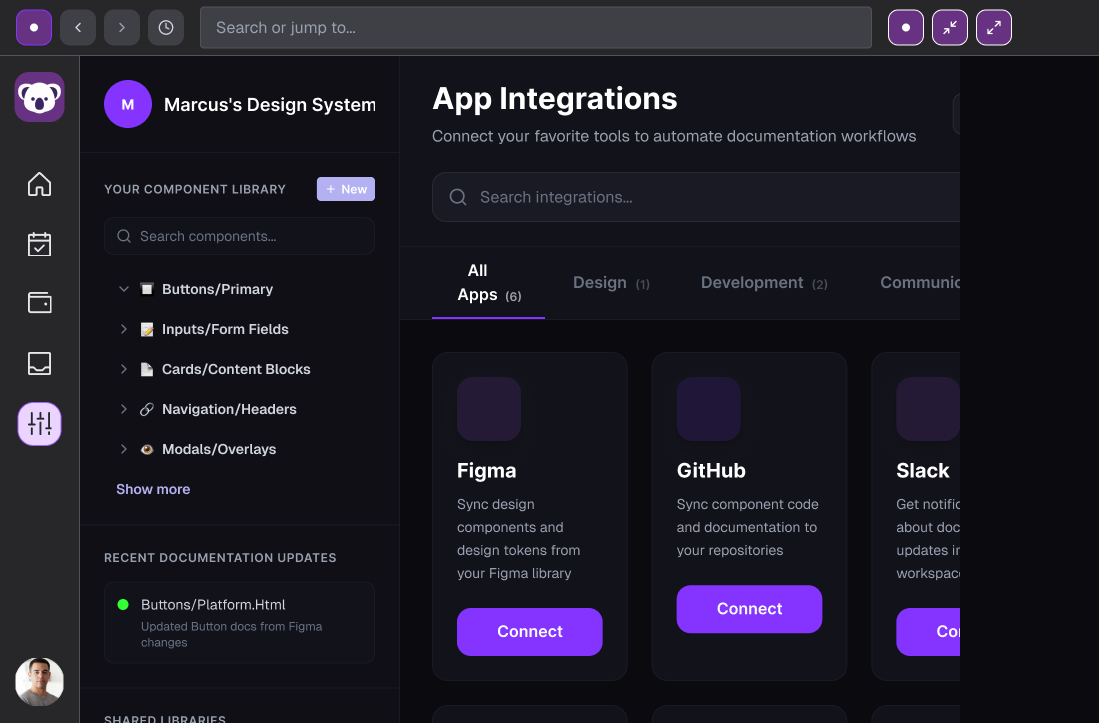
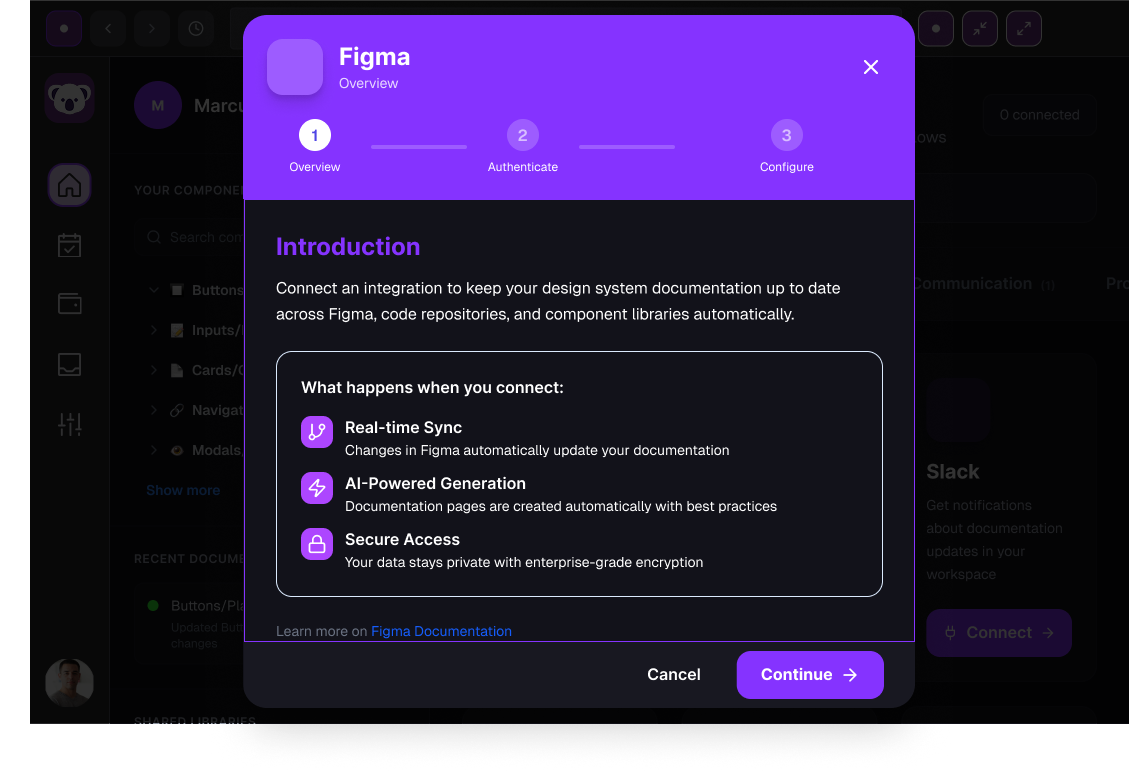

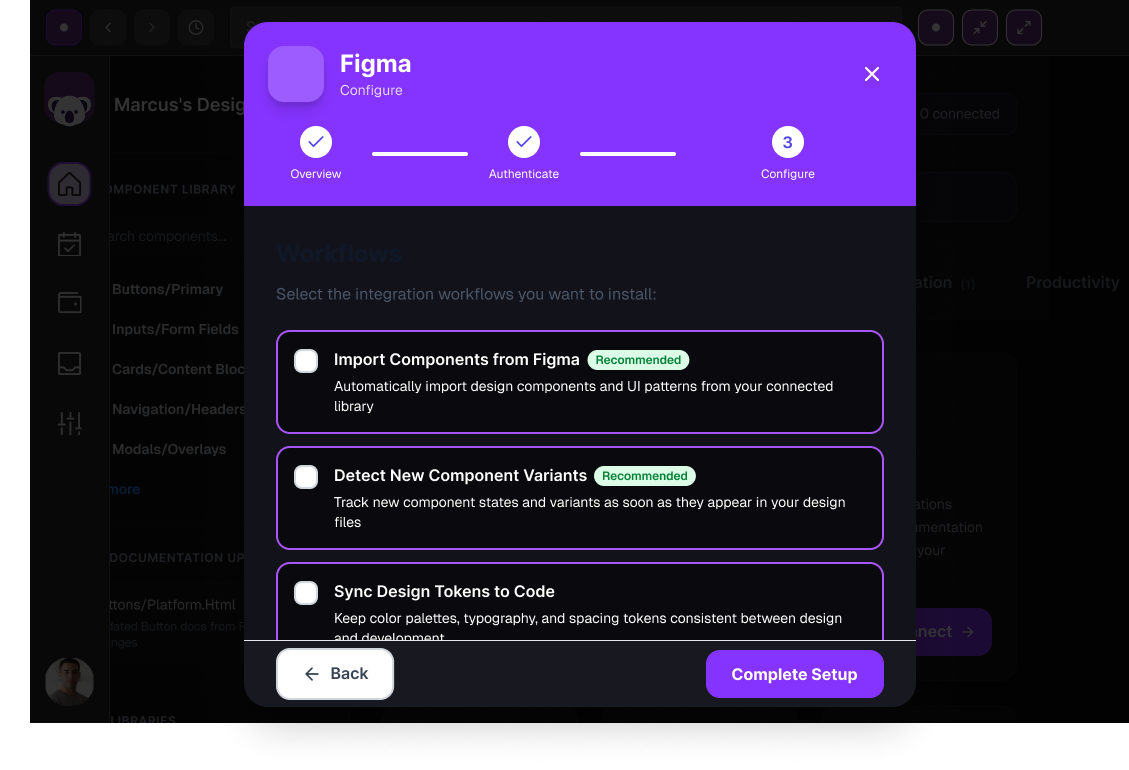
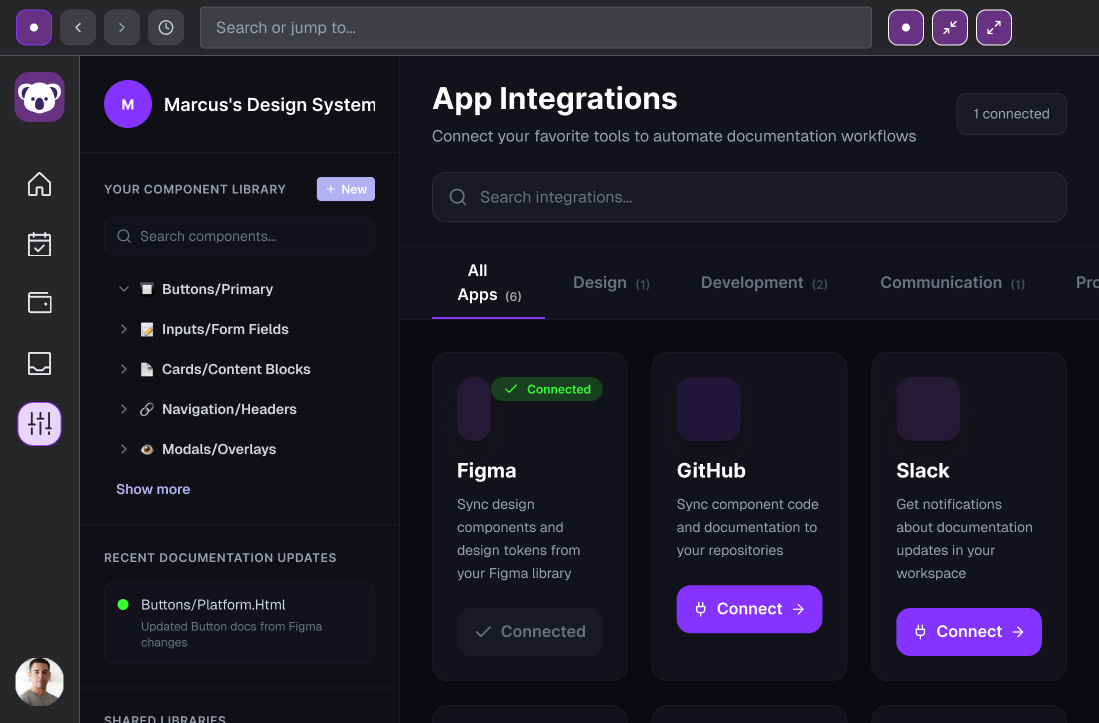
When changes occur, documentation updates automatically.
Automated Documentation Feed
The feed displays real-time updates such as:
Detected design changes
Generated documentation
System suggestions
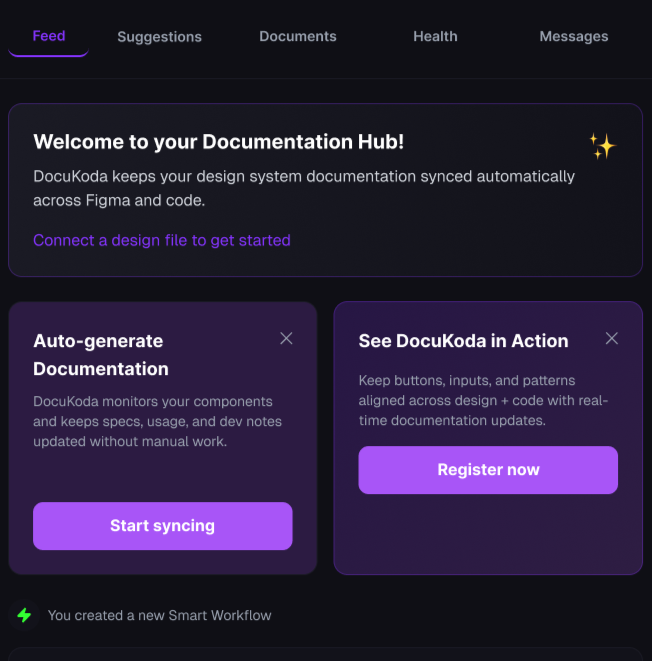
This helps teams maintain awareness of design system updates.
Workflow Automation
DocuKoda allows teams to automate documentation tasks such as:
Updating component specifications
Reviewing design changes
Syncing documentation with code updates
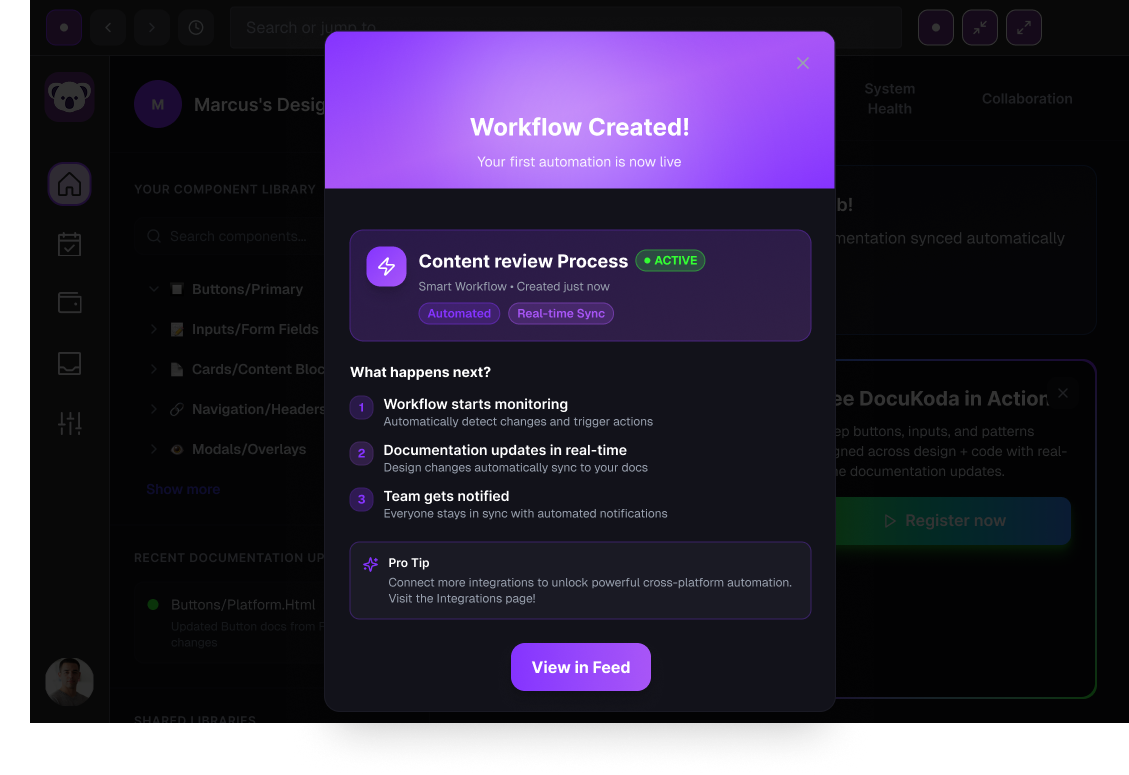
Workflows reduce the need for manual documentation maintenance.
Next Steps
If the project continued, the next phase would include:
Usability Testing
Test the workflow builder with designers and developers to evaluate clarity and usability.
Figma Plugin Development
Create a plugin that extracts component data directly from design systems.
Design-to-Code Validation
Detect discrepancies between design components and their implementation in code.
Documentation Health Dashboard
Provide analytics showing documentation completeness and outdated components.
Lessons Learned
Designing DocuKoda revealed several important insights.
Documentation Is Often Neglected
Despite its importance, documentation is rarely prioritized during product development.
Design Systems Already Contain Documentation Data
Most of the information needed for documentation already exists in design files.
Automation Can Reduce Maintenance Overhead
Automating documentation allows designers to focus on solving design problems instead of managing documentation.
Final Product Statement
DocuKoda is an AI-powered design assistant that automatically generates and maintains design system documentation by syncing design files, codebases, and technical specifications in real time.